We’ve rebuilt MAL{ai}, Shield’s malware detection engine for PHP files, using new technology we’ve developed with the help of several AI tools. The old engine judged files by what they looked like. The new engine works out what the code actually does.
Understanding the code lets MAL{ai} catch malicious files that look harmless, and clear harmless files that look suspicious. Both mistakes were common with the old MAL{ai}, and both cost you.
Three Years of MAL{ai}, and What Needed Fixing
We introduced MAL{ai} in March 2023 as our first step into using AI to detect PHP malware. You can read about the thinking behind it in our original MAL{ai} announcement. The original MAL{ai} learned by studying thousands of known malware and clean PHP files, and it caught most of the malware it saw.
More than three years of real-world use, however, showed us where it fell short:
- too many false alarms on clean files.
- confident-looking answers even when it was really guessing.
- the answer for the same file could change from one day to the next.
- accuracy meant constant retraining and hand-picking the files it learned from.
MAL{ai} 3.0 fixes all these issues and more!
The Results
We ran the old and new beside each other against the same 1,000 PHP files. Our team had already checked every one of them by hand, so we knew the right answer for each file. Roughly half were malware and half were clean.
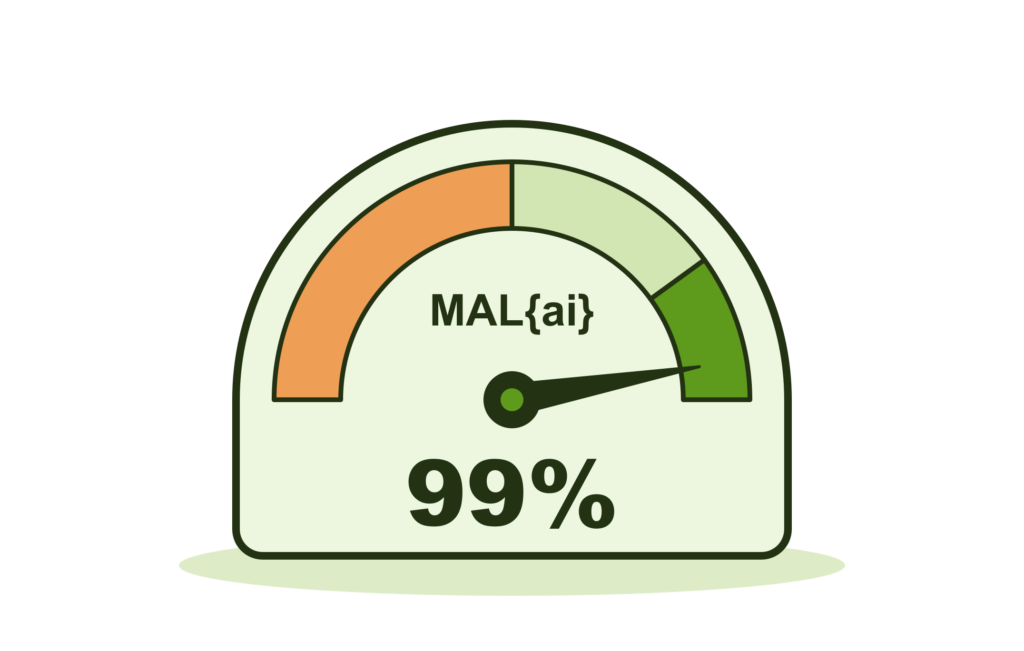
- When the new engine says a file is malware or clean, it’s right 99% of the time.
MAL{ai} v2 was right 58% of the time (only a little better than tossing a coin) - Clean files wrongly flagged as malware fell from 344 to 6.
- Infected files wrongly marked as clean fell from 74 to 3.
Across all 1,000 files, the new engine gave just 9 wrong answers: that’s less than 1 in every 100 files.
Fewer Infections Slip Through
Missed malware is the most dangerous mistake a scanner can make. When an infected file is marked clean, you have no reason to look at it. The infection stays on your site, free to steal customer data, send spam from your server or let the attacker back in whenever they like.
Put another way: check 100 infected files, and the old engine would have told you about 15 of them were clean. The new engine would miss fewer than 1.
Far Fewer False Alarms
A false alarm is the opposite mistake: a clean file flagged as malware. A false alarm doesn’t harm your site directly, but it still costs you time and worry while you investigate a file that was never a problem. If you delete the file to be safe, you can break a plugin that was working perfectly well.
Constant false alarms do something much worse: they teach you to ignore warnings. Once you start ignoring warnings, a real infection can slip right past you.
Catching Malware Nobody Has Seen Before
Signature-based scanners work by comparing files against a list of malware that has already been identified. Attackers constantly change their code to stay off those lists, so a scanner that relies on them is always a step behind.
Because MAL{ai} looks at what the code does, it can recognise malware it has never seen before. In our test, about 1 in 3 malware files had no match in our signature lists, so a signature scanner alone would have missed them. The new engine identified 140 of those 171 files as malware and wrongly cleared just 2.
Clear Answers You Can Act On
The old engine had only two possible answers for every file: malware or clean. Even when it had very little to go on, it still had to pick one. A borderline file got the same confident-looking label as an obvious one, so you had no way of telling a solid result from a guess.
The new engine has a third answer: “can’t decide”. When it tells you a file is malware or clean, you can act on that answer. When it isn’t confident, it tells you so, and you know exactly which files need a closer look.
The Same Answer Every Time
The old engine retrained itself from scratch every time it restarted, using a fresh random selection of files. Each retrain could change its mind. A file marked clean on Monday could be marked as malware on Tuesday, with nothing about the file having changed.
The new engine checks each file once and records the answer. Scan the same file next week, and you’ll get the same result, so a file you’ve already dealt with won’t suddenly reappear as a threat.
Why No Scanner Can Be 100% Accurate
No malware scanner can be right every time, however good it is. Some PHP code sits right on the line between legitimate software and malware, and even an expert can’t always say which side it falls on. Three files from our test show the problem.
- The same code can be a tool or a weapon. One file let anyone upload files to a website without logging in. Inside a file-sharing plugin, that’s a feature, if a risky one. Planted by an attacker, the same file is a back door into your site, and nothing in the code tells you which situation you’re in.
- Badly written code isn’t the same as malicious code. One plugin sent information about the site back to its developer over an unencrypted connection, with a password written directly into the code. Sending data that way is poor security practice and a privacy concern, but the plugin wasn’t trying to harm anyone.
- Legitimate code sometimes hides what it does. Some commercial plugins deliberately scramble their code to protect their licensing. One clean file in our test did exactly that, and also let the vendor change the plugin’s settings remotely. Malware scrambles its code in the same way to hide from scanners.
The new engine answered “can’t decide” on all three files rather than guessing. For code like this, “can’t decide” is the right answer. A confident wrong answer would either leave a back door open on your site or have you deleting a plugin you rely on.
A clean result has limits too: it tells you a file isn’t malicious, not that it’s well written. Poorly secured code can still give attackers a way in, so keeping your plugins and themes up to date still matters.
Why Malware Scanning Still Matters
Malware scanning isn’t protection on its own. Finding malware doesn’t make your site vulnerable. It alerts you that your site already was already vulnerable: attackers found a way in and used it to leave malicious code behind.
Scanning still matters for exactly that reason, as we’ve explained in why malware scanning for WordPress isn’t useless. The quicker you know about an infection, the sooner you can clean it up and find the gap the attackers used. Until you close that gap, they will simply come back.
The new MAL{ai} makes that early warning much more reliable. When Shield flags a file as malware, the file deserves your immediate attention.
When is MAL{ai} v3 Available?
Now. It’s already available. No plugin update is required. Enjoy!